so i should preface first that its BEST to do this with a song you have the full stems of (the instruments/vocals/sfx seperated into different tracks; there are several sites where you can download these!), as just doing this with a song itself will give pretty iffy results. you also need FL Studio (it has a free demo with these features available btw) to do this!! also also, if these pictures are fucked up by tumblr’s terrible image quality i’ll include an imgur album of these at the bottom to look through instead.
on to the tutorial!
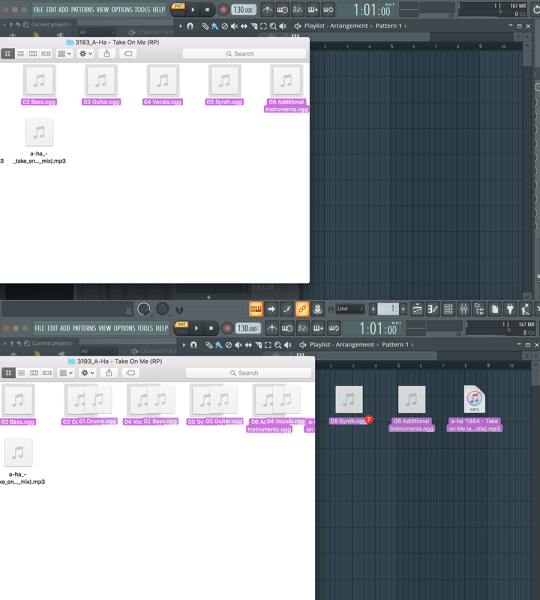
first of course, drag your files into FL Studio
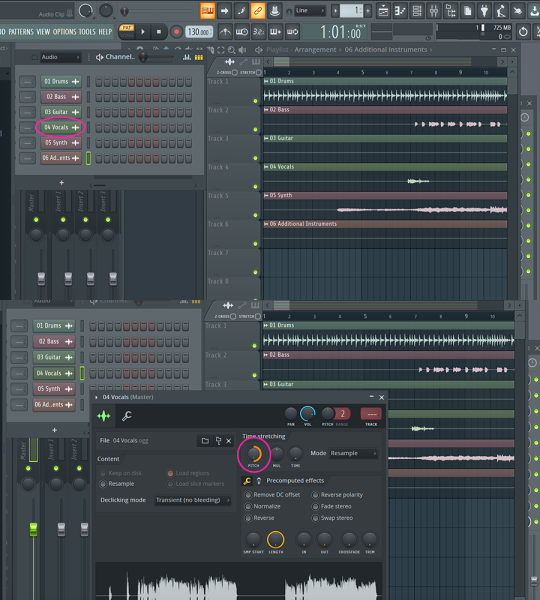
click on your VOCAL TRACK in the Channel Rack and pitch shift the vocals as high as you can
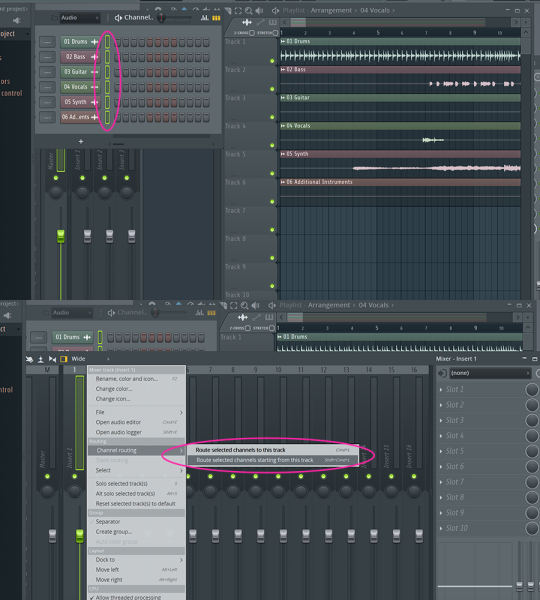
now shift + click the circled area in the Channel Rack to select all your tracks. now go to your Mixer, right-click the first channel and select the circled option.
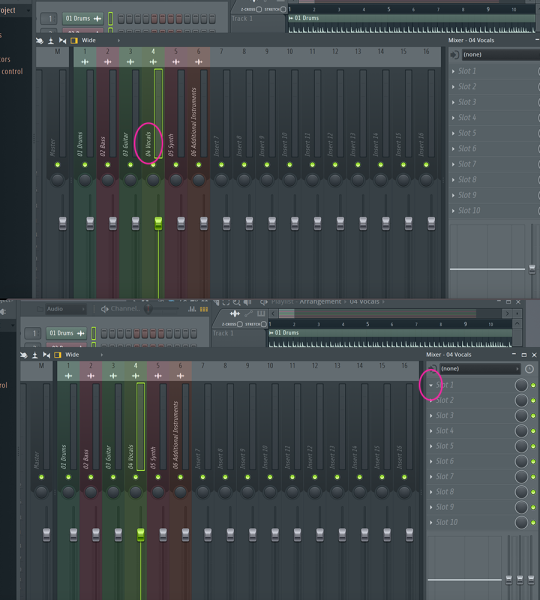
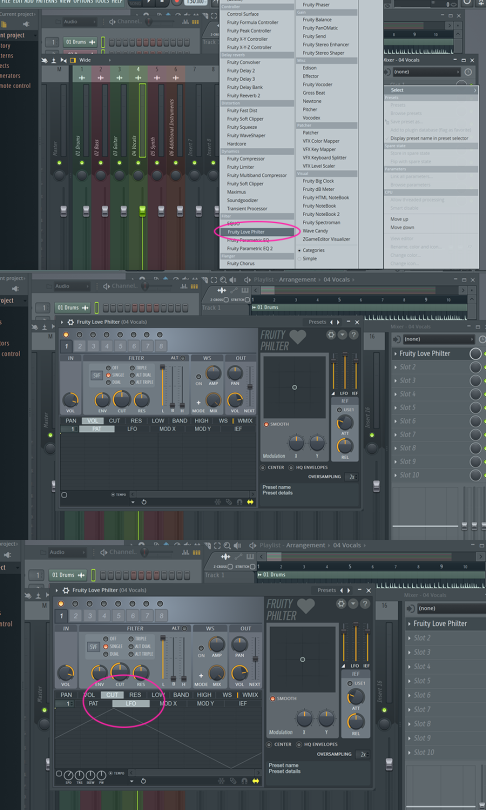
now click the channel with your vocals, then click on “Slot 1″ to the right
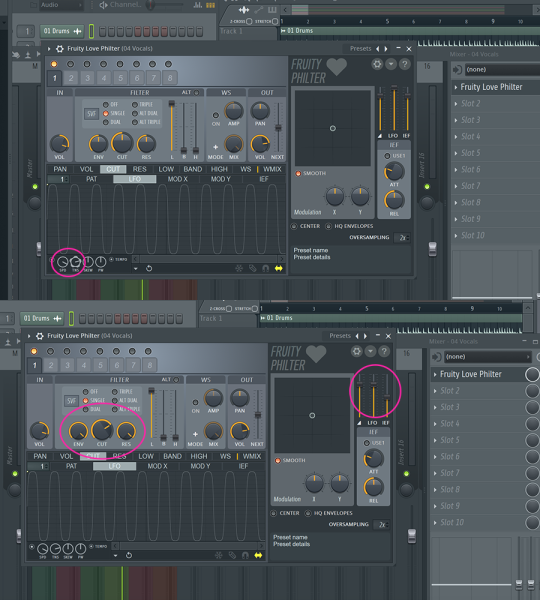
select the Fruity Love Philter option, and the following window will come up. what you want now is to click on “CUT” then “LFO”
you’ll want to adjust these circled nobs and to get close to what I have, BUT THIS WILL BE DIFFERENT FOR EVERY SONG YOU EDIT! it all depends on what you’re editing!
on that note, the bulk of the remainder here is all experimentation! even messing with the Fruity Love Filter is gonna be a lot of trial and error + messing around with the options.
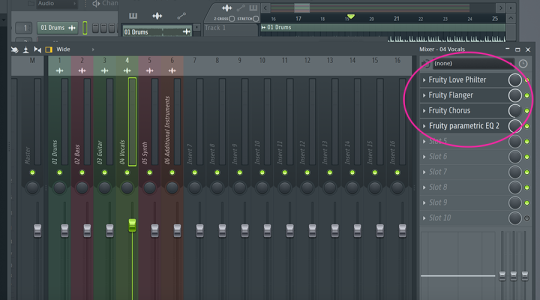
I typically use these filters and mess around with them to get a decent result!!
NOW GO FORTH AND MAKE MEMES (imgur link alternative here)

 sky's stuff